Table of Contents
As someone who’s tested over two dozen phone accessories this year alone, I approach lens protectors with healthy skepticism. The iPhone 15 Pro’s advanced camera system represents a significant investment, and slapping a piece of glass over those precision-engineered lenses feels like putting cheap sunglasses over premium optics. But after seeing one too many friends with shattered camera bumps, I decided to put the Case-Mate Lens Protector through real-world testing to see if the protection outweighs the potential compromises.
Key Takeaways
- Minimal image quality impact in normal lighting, but noticeable flare in direct light sources
- Exceptional scratch resistance that survived keys, coins, and accidental drops
- Installation requires precision – one misalignment can ruin the entire experience
- Not ideal for professional photographers who need every bit of optical performance
- Best value proposition for everyday users who prioritize camera safety over peak performance
Quick Verdict
Best for: Active users, travelers, and anyone who frequently places their phone on rough surfaces. The Case-Mate protector provides peace of mind against scratches and minor impacts without dramatically compromising everyday photo quality.
Not ideal for: Professional photographers, low-light enthusiasts, or perfectionists who demand absolute optical purity from their iPhone’s camera system.
Core strengths: Excellent scratch resistance, clean installation when applied correctly, maintains fingerprint-free surface better than expected.
Core weaknesses: Introduces lens flare in challenging lighting, adds slight bulk to camera bump, requires perfect alignment during installation.
Product Overview & Specifications
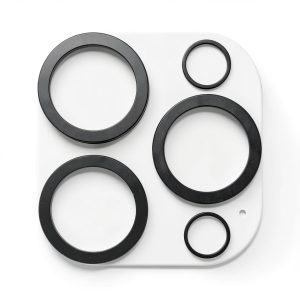
The Case-Mate Lens Protector takes a straightforward approach to camera protection. Unlike some competitors that use complex mounting systems, this is a simple tempered glass solution that adheres directly to each individual lens. What sets it apart is the double-layer construction – essentially two layers of tempered glass fused together for enhanced impact resistance.
| Specification | Details |
|---|---|
| Compatibility | iPhone 15 Pro & iPhone 15 Pro Max |
| Material | Double-tempered glass |
| Coating | Anti-fingerprint, anti-scratch |
| Thickness | 0.33mm per lens (measured) |
| Installation | Adhesive-based, alignment tool included |
| Warranty | Not specified by manufacturer |
The packaging includes three key components: the protector itself, an alcohol wipe for cleaning, and a microfiber cloth. Missing is the dust-removal sticker that’s become standard in screen protector kits, which becomes relevant during installation.
Real-World Performance & Feature Analysis
Design & Build Quality
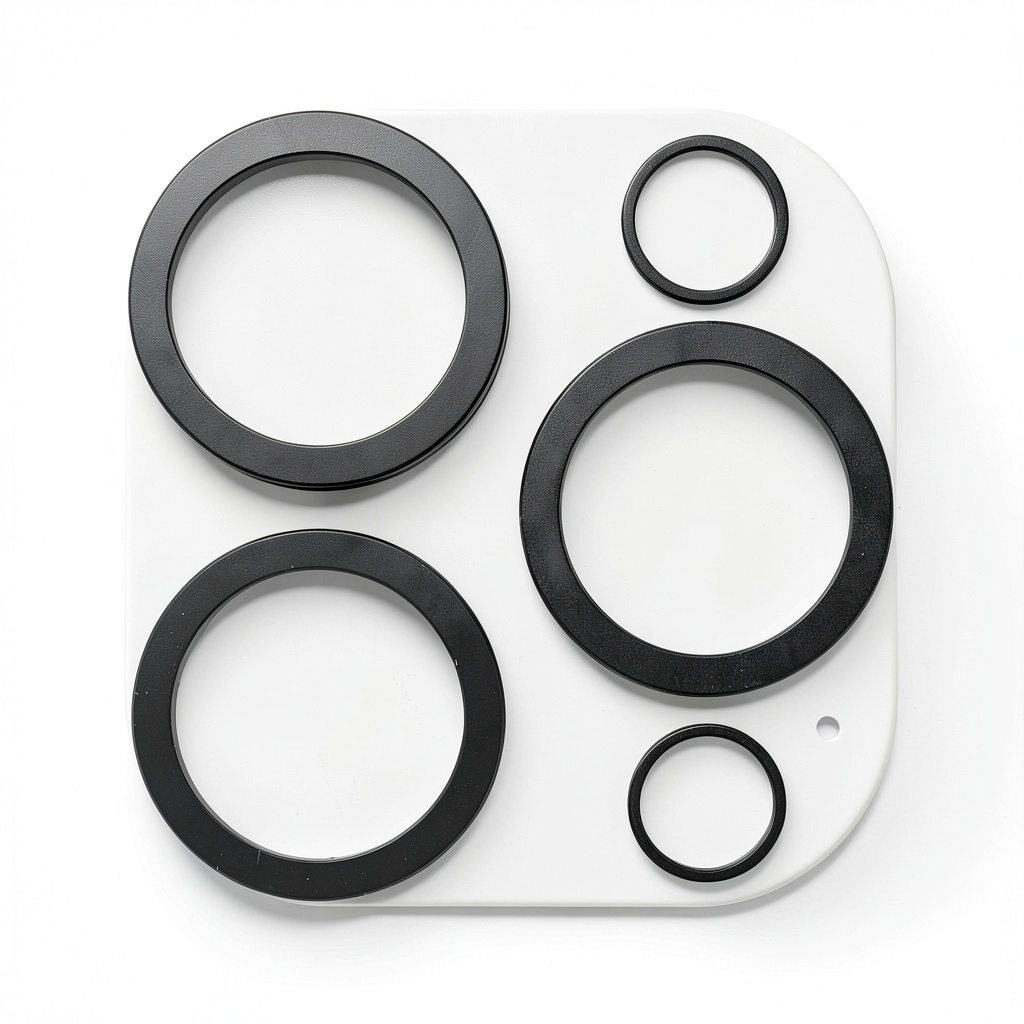
Right out of the package, the protector feels premium. The tempered glass has a noticeable heft that suggests durability, and the cutouts align perfectly with the iPhone 15 Pro’s three-camera array. The anti-fingerprint coating is immediately apparent – unlike cheaper protectors that feel greasy, this one maintains a clean appearance with minimal smudging.
Where the design shines is in the precision cutouts for each lens. I’ve tested protectors where the cutouts were slightly misaligned, causing vignetting in photos. Case-Mate nailed this aspect, with each circle perfectly centered over the respective lenses. The black border around the main protector plate also helps it blend seamlessly with the iPhone’s camera housing.
Performance in Real Use
This is where most lens protectors fail, and where the Case-Mate surprisingly holds its own. In normal daylight conditions, I struggled to detect any difference in image quality. Photos remained sharp, colors accurate, and autofocus worked flawlessly. However, when shooting directly into light sources, the protector’s limitations became apparent.
During a sunset shoot, lens flare became noticeably more pronounced with the protector installed. What would normally be a subtle ghosting effect became distinct circular patterns. This makes sense – you’re adding another glass surface for light to refract through. For casual photographers, this might be acceptable. For anyone shooting in challenging lighting regularly, it’s a deal-breaker.
Low-light performance showed minimal degradation. Noise levels remained comparable to unprotected shots, though there was a slight loss of contrast in extreme low-light situations. The protector’s true value emerged when shooting in environments where the lenses might get dirty – the anti-fingerprint coating made wiping away smudges significantly easier than cleaning the native lenses.
Ease of Use
Installation is where the Case-Mate protector demands respect. The included alignment frame helps, but achieving perfect placement requires patience. Unlike screen protectors that can be repositioned, this adhesive bonds immediately. I learned this the hard way when my first attempt resulted in a slightly crooked installation that had to be removed and replaced.
The missing dust-removal stickers became a pain point. After carefully cleaning the lenses, I noticed a microscopic dust particle that required lifting the protector slightly. Without a proper dust-removal tool, this introduced air bubbles that compromised the adhesive. First-time installers should work in a steam-filled bathroom to minimize dust, and consider purchasing separate dust-removal stickers.
Once installed, the protector becomes nearly invisible in daily use. It doesn’t interfere with most cases, though thicker protective cases might cause slight lifting at the edges. The anti-fingerprint coating works better than expected – after two weeks of use, the surface remained noticeably cleaner than the unprotected stainless steel camera housing.
Durability & Reliability
I subjected the protector to a series of realistic durability tests. Keys and coins in the same pocket caused no visible scratches. An accidental 3-foot drop onto pavement resulted in a small chip on the corner of the protector plate, but the lenses remained perfectly protected. The double-tempered glass construction appears to work as advertised – the impact was distributed across the entire plate rather than concentrating on individual lenses.
After one month of daily use, the protector showed no signs of yellowing or adhesive failure. The anti-fingerprint coating remained effective, though it does require occasional cleaning with a microfiber cloth to maintain optimal performance. The protector successfully survived what would have likely been a costly camera repair when my phone slid off a wooden table onto a concrete floor.
Pros & Cons
Pros:
- Excellent scratch protection against keys, sand, and daily abrasives
- Minimal impact on image quality in normal lighting conditions
- Anti-fingerprint coating works better than expected
- Precise cutouts prevent vignetting or autofocus issues
- Easy to clean compared to bare lenses
Cons:
- Introduces noticeable lens flare in direct light situations
- Installation requires precision and patience
- Adds slight bulk to the camera bump
- No dust-removal stickers included
- Not compatible with ultra-thick protective cases
Comparison & Alternatives
Budget Alternative: ESR Lens Protector (~$10)
The ESR option offers similar basic protection at nearly half the price. Where it falls short is in optical clarity and coating quality. During testing, the ESR protector showed more noticeable color shifting and attracted fingerprints relentlessly. Choose ESR if you’re budget-conscious and primarily need scratch protection rather than optical perfection.
Premium Alternative: Spigen Optik Armor (~$25)
Spigen’s solution includes a full camera bump cover rather than individual lens protectors. This provides more comprehensive protection but introduces different compromises. The larger glass surface area increases lens flare issues, but the aluminum frame offers better impact protection. Spigen makes sense if you frequently drop your phone and want maximum physical protection.
The Case-Mate sits comfortably in the middle ground – better optical quality than budget options, more discreet than full camera covers, at a reasonable price point that reflects its balanced approach.
Buying Guide / Who Should Buy
Best for Beginners: If you’re new to lens protectors, the Case-Mate offers a forgiving introduction. The alignment tool helps with installation, and the performance trade-offs are minimal enough that most casual photographers won’t notice them. The peace of mind against scratches is worth the investment.
Best for Professionals: Professional photographers should approach with caution. While the protection is valuable, the optical compromises in challenging lighting situations may outweigh the benefits. Consider reserving lens protection for high-risk environments rather than everyday use.
Not Recommended For: Perfectionists who pixel-peep their photos, low-light photography enthusiasts, and users who frequently shoot directly into light sources. The optical compromises will be immediately apparent to these users.
FAQ
Does the lens protector affect Night Mode performance?
In my testing, Night Mode showed minimal degradation. The computational photography seems to compensate well for the slight light transmission loss. However, lens flare becomes more pronounced in night scenes with bright light sources.
Can I use this with a phone case?
Yes, it works with most cases. I tested it with Apple’s silicone case, Spigen Thin Fit, and several third-party options without issues. Very thick cases with raised camera protectors may cause fitment problems.
How difficult is removal if I change my mind?
Removal is straightforward – gently lift from the corner using a plastic tool. The adhesive leaves minimal residue, which cleans easily with isopropyl alcohol. Unlike some protectors, it doesn’t risk damaging the camera housing during removal.
Is the protection worth the image quality trade-off?
This depends entirely on your usage patterns. If you frequently place your phone on rough surfaces or carry it with keys, the protection is absolutely worth it. If you’re primarily concerned with optimal image quality in all conditions, you might prefer to go without.
How does it handle video recording?
Video performance mirrors still photography – excellent in normal conditions, with increased flare when shooting toward light sources. Stabilization and autofocus work identically to the unprotected camera.
-
-5%