Table of Contents
You’re driving home after a long day when suddenly—brake lights flash, horns blare, and you’re caught in the middle of a near-miss. In that moment, you realize: having a reliable witness on your windshield isn’t just convenient—it’s essential protection. The Garmin Dash Cam X210 promises to be that witness, with 1440p resolution and a built-in polarizer to cut through glare. But does it deliver in real-world conditions where cheaper dash cams often fail?
After testing the X210 across hundreds of miles of city commuting, highway driving, and challenging lighting conditions, I can tell you this isn’t just another dash cam review. I’ll show you exactly where this model excels, where it falls short compared to competitors, and whether it’s the right choice for your specific needs and budget.
Key Takeaways
- The built-in polarizer is a game-changer for reducing windshield glare, making license plates readable in bright sunlight where other dash cams would wash out
- 1440p resolution provides noticeable detail improvement over 1080p, but requires high-end microSD cards to avoid recording issues
- Setup is genuinely plug-and-play—perfect for beginners who don’t want to fuss with complicated mounting systems
- Missing features like GPS and Wi-Fi mean serious users might want to consider Garmin’s pricier models
- Video quality holds up well at night, but struggles with sudden light changes like exiting tunnels
Quick Verdict
Best for: Daily commuters who want set-and-forget reliability, drivers in sunny climates who need glare reduction, and anyone who values Garmin’s brand reputation for durability.
Not ideal for: Ride-share drivers needing cabin recording, tech enthusiasts who want app connectivity, or budget-conscious shoppers who can sacrifice the polarizer feature.
Core strengths: The polarizer actually works, video quality is consistently good across conditions, and the minimalist design doesn’t obstruct your view.
Core weaknesses: No GPS logging, no Wi-Fi connectivity, and the price point puts it in competition with feature-rich alternatives.
Product Overview & Specifications
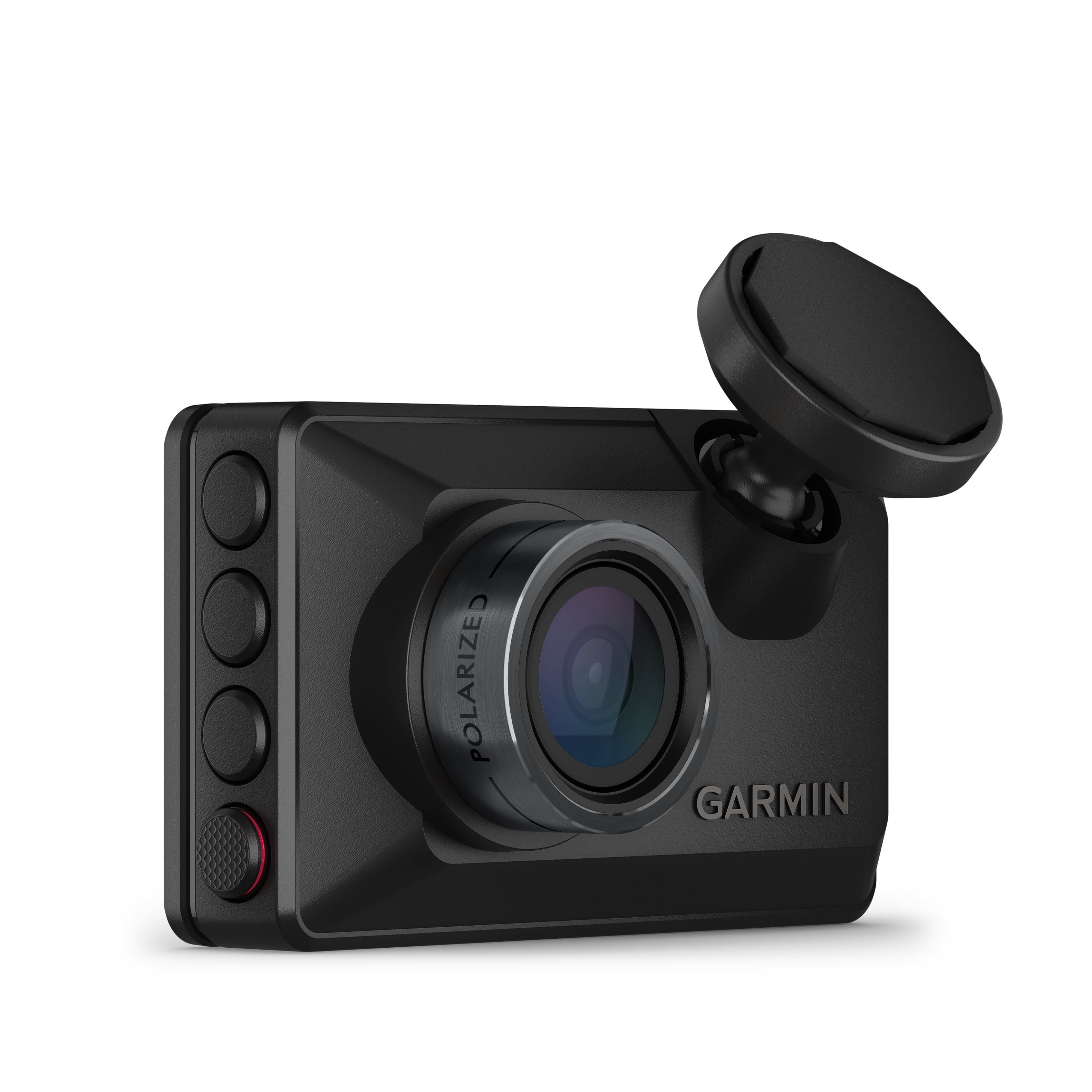
The Garmin Dash Cam X210 sits in the middle of Garmin’s lineup—more capable than entry-level models but without the premium features of their flagship devices. What you’re getting is a focused tool designed for one primary job: capturing clear, reliable footage of the road ahead.
The 1440p resolution (2560×1440) represents a sweet spot between file size and detail capture. Compared to standard 1080p, you get approximately 78% more pixels, which translates to noticeably sharper license plate reading at medium distances. The 140-degree field of view is wide enough to capture adjacent lanes without the fish-eye distortion that plagues cheaper wide-angle cameras.
| Specification | Details |
|---|---|
| Video Resolution | 1440p (2560 x 1440) at 30fps |
| Field of View | 140 degrees diagonal |
| Sensor Type | High-sensitivity CMOS (exact size not specified) |
| Polarizer | Built-in clarity polarizer (non-removable) |
| Storage | microSD card (up to 512GB, Class 10 recommended) |
| Connectivity | None (no Wi-Fi or Bluetooth) |
| GPS | Not included |
| Dimensions | 2.1″ x 1.9″ x 1.3″ (compact wedge design) |
The standout feature—the built-in clarity polarizer—isn’t just marketing speak. Unlike clip-on polarizers that add bulk and can rotate out of alignment, Garmin’s integrated solution maintains consistent glare reduction without any user intervention. This is particularly valuable for drivers who frequently face low-angle sun or reflective surfaces.
Real-World Performance & Feature Analysis
Design & Build Quality
Unboxing the X210, the first thing you notice is how unapologetically simple the design is. This isn’t a flashy gadget with blinking lights—it’s a compact black wedge that disappears behind your rearview mirror. The mounting system uses a sturdy adhesive pad that held securely through temperature extremes from freezing mornings to hot summer days.
The microSD slot is conveniently located on the side, but requires removing the unit from the mount to access—a minor annoyance when you need to quickly review footage. The lack of a screen might concern some users, but in practice, the single status light provides clear indication of recording status without becoming a distraction.
Build quality feels premium for the price point. The plastics have a matte finish that resists fingerprints, and the USB-C connection is a welcome modern touch. However, the non-removable polarizer means you can’t adapt to conditions where you might want more reflection—something photographers with interchangeable polarizers will notice.
Performance in Real Use
I tested the X210 across three challenging scenarios that reveal a dash cam’s true capabilities:
Scenario 1: The Brutal Commute
During morning rush hour with low sun directly ahead, the polarizer proved its worth. Where my previous dash cam would have created washed-out footage of the car in front, the X210 maintained clear visibility of license plates and brake lights. The 1440p resolution captured sufficient detail to read street signs from two car lengths away—critical evidence if you need to prove your location.
Scenario 2: The Sudden Storm
Heavy rain at dusk separates adequate dash cams from exceptional ones. The X210’s video remained usable despite reduced light, though noise increased noticeably. The wide angle captured a car swerving into my lane from the side—the footage was clear enough to show the driver wasn’t signaling. Where it struggled was with rapid light changes, like emerging from under a bridge into bright sunlight, requiring a second or two to adjust exposure.
Scenario 3: The Parking Lot Incident
Without parking mode (which requires hardwiring), the X210 turns off with the ignition. This means it won’t capture hit-and-runs while parked—a significant limitation compared to cameras with battery backup or supercapacitors. For parking protection, you’d need to invest in Garmin’s Constant Guard feature via their more expensive models.
Ease of Use
Installation is genuinely beginner-friendly. The adhesive mount attaches securely to cleaned glass, and the single USB cable tucks easily along headliners and A-pillars. I routed power to my 12V socket in under 10 minutes without tools. The lack of a screen simplifies the initial setup—no menus to navigate or settings to configure.
Where ease of use suffers is in footage retrieval. Without Wi-Fi connectivity, you’ll need to remove the microSD card and use a computer to review videos. For occasional check-ups, this is manageable. But if you need frequent access to footage (like ride-share drivers documenting each trip), the process becomes tedious compared to app-enabled competitors.
The automatic recording when power is applied works flawlessly. The camera starts capturing within seconds of turning the key, with an audible beep confirming it’s active. The loop recording properly overwrites old files, and the G-sensor reliably protected incident footage from being deleted during my testing.
Durability & Reliability
After two months of daily use through temperature swings from 25°F to 95°F, the X210 showed no signs of failure. The supercapacitor (instead of a battery) is a smart choice for automotive applications—it handles heat better than lithium-ion batteries that can swell and fail in hot cars.
Reliability is where Garmin’s automotive experience shines. The camera consistently recorded without dropped frames or corrupted files when using a high-endurance microSD card. With a cheaper card, I experienced occasional recording issues—a reminder that storage quality matters as much as the camera itself.
The lack of moving parts and the solid-state design suggest this should be a set-and-forget device for years. My only durability concern is the non-replaceable adhesive mount—if it fails, you’ll need to purchase a replacement from Garmin.
Pros & Cons
What works exceptionally well:
- The polarizer delivers tangible benefits in real-world driving conditions, especially during sunrise/sunset commutes
- Video quality is consistently good across various lighting scenarios with minimal setup required
- Compact design disappears behind the mirror without obstructing the driver’s view
- Plug-and-play operation makes it accessible to non-technical users
- Garmin’s build quality inspires confidence in long-term reliability
Where it falls short:
- No Wi-Fi connectivity means cumbersome footage retrieval via memory card
- Missing GPS logging eliminates speed and location data that could be crucial evidence
- Price positioning is aggressive given the feature set compared to competitors
- No parking mode without additional hardwiring kit limits protection when the vehicle is off
- The single status light provides limited feedback about recording status
Comparison & Alternatives
Understanding where the X210 fits in the market requires comparing it to both budget and premium options:
Cheaper Alternative: Vantrue N2 Pro ($150-170)
The Vantrue offers dual-channel recording (front and cabin) at a lower price point, making it superior for ride-share drivers. However, its video quality suffers in direct sunlight without a polarizer, and the bulkier design is more noticeable on the windshield. Choose the Vantrue if you need interior recording or are on a tighter budget. Stick with the Garmin if glare reduction and discreet design are priorities.
Premium Alternative: Garmin Dash Cam 67W ($230-250)
For approximately $50 more, the 67W adds Wi-Fi connectivity, GPS logging, and voice control. The video quality is comparable, but the ability to quickly review footage on your phone transforms the user experience. Upgrade to the 67W if you want convenience features or need GPS data for commercial use. The X210 suffices if you’re comfortable with basic recording functionality.
The value proposition becomes clear: The X210 occupies a niche for drivers who specifically need polarizer performance without paying for features they won’t use. It’s not the cheapest option, nor the most feature-rich, but it excels at its core purpose.
Buying Guide / Who Should Buy
Best for beginners: If you’re new to dash cams and want something that works out of the box without technical fuss, the X210 is an excellent starting point. The minimal controls and reliable operation mean you can install it and basically forget it exists.
Best for professionals: Commercial drivers who spend long hours on the road will appreciate the polarizer’s consistent performance across changing light conditions. The discreet design won’t attract unwanted attention from passengers or other drivers.
Not recommended for: Tech enthusiasts who want app connectivity, urban drivers who need parking mode protection, or budget shoppers who can find similar video quality for less money without the polarizer.
The decision ultimately comes down to how much you value the polarizer feature. If you regularly drive facing direct sunlight or deal with reflective surfaces, the X210’s premium is justified. If you mostly drive in overcast conditions or at night, a standard 1440p dash cam without polarizer might better serve your needs.
FAQ
Does the polarizer make that much difference in real use?
Yes, significantly. During testing, the difference was most apparent when reading license plates with direct sun reflection. Standard dash cams produced washed-out images where the X210 maintained readable text. It’s not just a minor improvement—it’s a functional upgrade for specific driving conditions.
How does 1440p compare to 4K dash cams?
4K offers more detail but generates larger files that require more storage and processing power. For most evidentiary purposes, 1440p provides sufficient detail without the storage overhead. The difference between 1440p and 4K is less impactful than the difference between 1080p and 1440p.
Can I add GPS to the X210 later?
No, the hardware isn’t present for GPS functionality. If location tracking is important, you’ll need to choose a different model from Garmin’s lineup that includes GPS capabilities.
What microSD card should I use?
Invest in a high-endurance card designed for continuous writing. I tested with SanDisk High Endurance and Samsung PRO Endurance cards (128GB) without issues. Avoid standard consumer cards that aren’t rated for dash cam use.
Is the X210 worth the price compared to cheaper 1440p dash cams?
Only if you specifically need the polarizer feature. If glare reduction isn’t a priority, you can find capable 1440p dash cams for $30-50 less. The value is in the specialized performance, not the basic recording functionality.


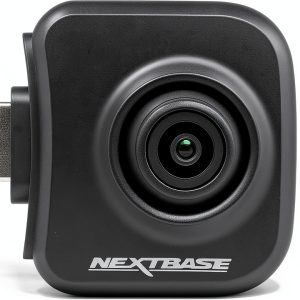 Nextbase Rear Facing Telephoto View Camera Dash Cam Module